Install help · RhinoLink system
Installing RhinoLink lights
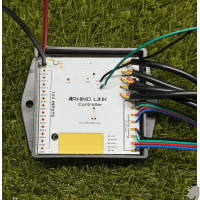
One controller for RGB lights and Axion rock lights, with zones and vehicle triggers. Covers the RhinoLink Bluetooth Controller, RGB lights and Axion rock lights together, vehicle inputs and relay outputs.
Your install in 4 steps Tap a step to jump to it
Not RhinoLink? RGB RGB+W Switched 12V
01Prep
Read this before you wire.
For RhinoLink lights
- RhinoLink runs your RGB lights and Axion RGB+W rock lights together on one machine, and keeps them in sync. Rhino 3.0 whips and RGB+W strip do not run on RhinoLink.
- A pod light's main beam is not a light zone. It can only be switched through an external relay wired to a RhinoLink output.
- The full RhinoLink wiring guide (PDF) is on the way. Until it is up, call us before you wire.
6 rules for every install
- Wire the controller through a switchWired straight to the battery it draws power all the time and drains it.
- Keep the controller away from heatNot near the engine or exhaust. The housing survives the heat; the electronics inside do not.
- Never plug or unplug with the power onThe surge can damage the lights. That counts as install damage and is not covered.
- 12 volts onlyMore than 12V damages the lights and voids the warranty.
- Test before you secure anythingLay everything out, power it up and check it all works before you run and tie down wire.
- No bare wires touchingCheck every connection before power goes on, and use waterproof connections.
02App
RhinoLink uses the RhinoLED app.
Not LED Chord. RhinoLED is for iPhone, iOS 15.0 or later, free download.
Setting up zones, triggers and patterns is covered in the RhinoLink guides below, and the full wiring guide PDF is on the way.
03Install guides
Guides for your RhinoLink lights.
Download the PDF, watch the video, or both. PDFs open in a new tab, so you can keep this page.
Set up RhinoLink
- How RhinoLink worksZones, inputs and outputs, and what each one does.
- Vehicle triggersTurn, brake, reverse and the other inputs.
- PatternsThe pattern and theme library.
- Startup profileWhat the lights do when you power up.
- SettingsDevice name, reset and app settings.
Install the lights it runs
- RGB system install guideRhino 2.0 and 2.5 Fattie whips, Diamond RGB rock lights, Halos, RGB strip, Horizontal whip bar
- RGB+W system install guideAxion RGB+W rock lights only. Not the 3.0 whips or RGB+W strip.
Wiring & switches
04Help
Stuck? We built it.
Check troubleshooting first: most problems are a loose connection or a wrong setting.
RhinoLink controls auxiliary and accent lighting. It is not a replacement for required factory vehicle lighting. Lighting regulations vary — check local requirements before public-road use.
Still stuck? Call 704-270-2695. If a light has failed, start a repair.